6. Modulation
The mod matrix, up to 16 LFOs and envelopes per project, and sending them to external gear as MIDI CC.
Maschine records knob movements into patterns as automation, and DECKARD does too (see AUTO is a switch). DECKARD adds a second kind of modulation that Maschine doesn’t have: routes, which let a source such as an LFO, an envelope or how hard you press a key move any knob continuously.
The mod matrix
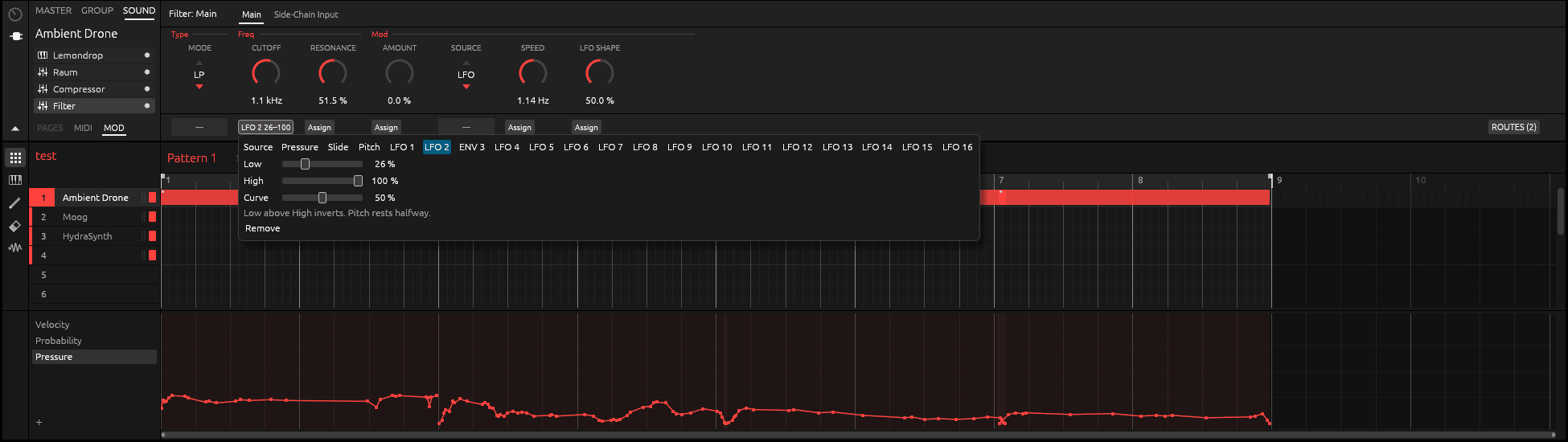
A route connects one source to one knob.
| Part | What it is |
|---|---|
| Source | Pressure, Slide or Pitch from your playing (see Expressive recording), or LFO 1–16 and ENV 1–16 from the LFO panel. |
| Target | Any continuous knob in a sound’s chain: the Sampler, a drum synth, a built-in effect, Replicant, Plaits, or a hosted plug-in’s parameter. |
| Low and High | The range the knob sweeps as the source moves from its lowest to its highest. Set Low above High to turn the movement upside down. |
| Curve | Bends the response, so more of the movement happens near the bottom or the top. |
While a route drives a knob, the knob moves on screen and on the MK3 so you can see it. Turning the knob yourself still sets its own value, from where it was set rather than from where the route has moved it.
Making a route
- Select a sound, and a module in its chain, in the Control area.
- Open the Assignment area with the small arrow under the Control area’s icons, and choose its MOD tab.
- Click Assign under a knob, then choose a source and set Low, High and Curve.
ROUTES, at the right of the MOD tab, lists all of the sound’s routes in one place. On the MK3, SHIFT + SOLO lists every route in the project: see The mod matrix page.
Note: Pressure, Slide and Pitch drive the whole sound, not each voice. Pressure follows the hardest-pressed note, Pitch the latest one.
LFOs and envelopes
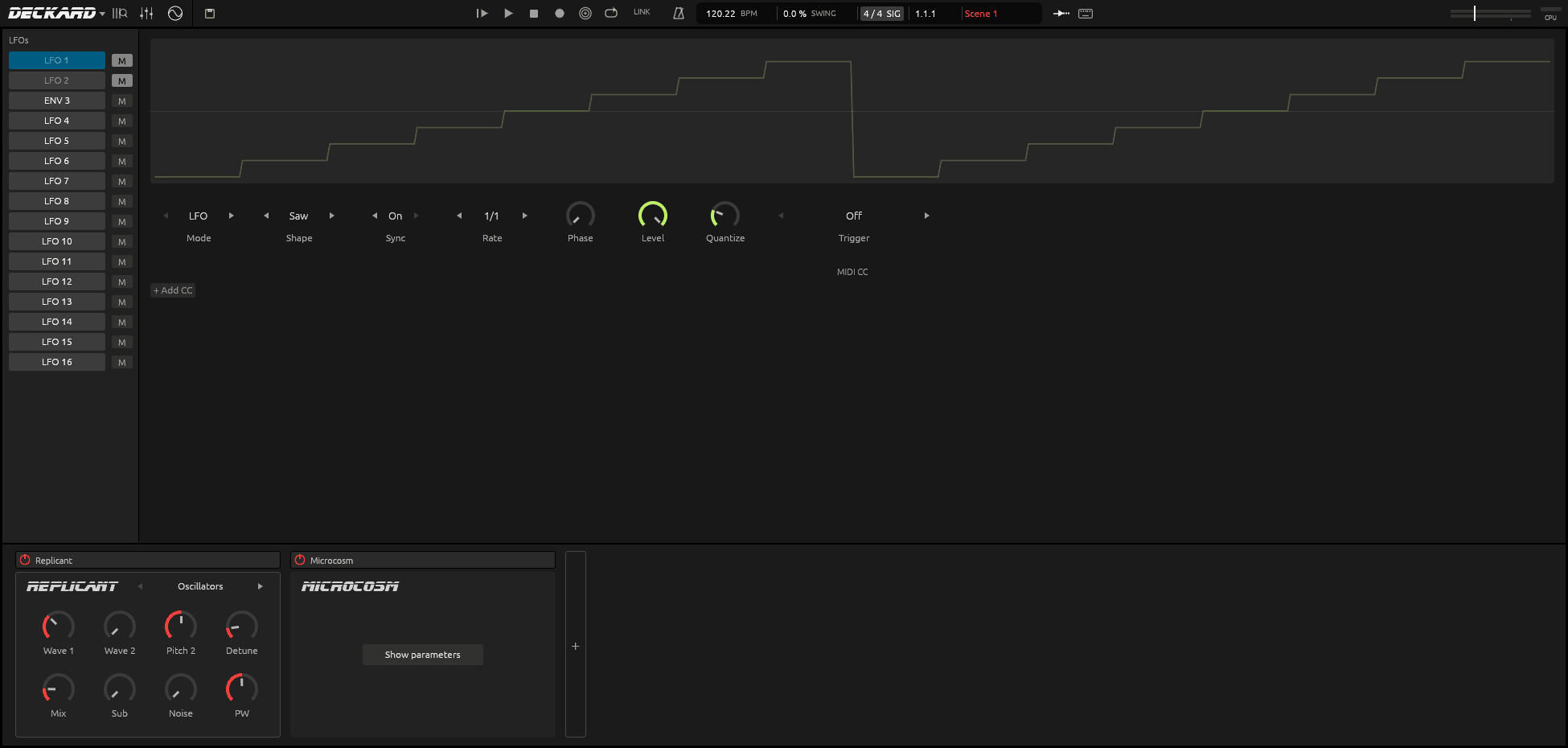
Open the LFO panel with the circle-and-sine button in the header. A project has up to 16 LFOs, one per pad, shared by all its sounds. On the MK3 they’re on the LFO page.
LFO mode
| Setting | What it does |
|---|---|
| Shape | Sine, Square, Triangle, Saw or Random. |
| Sync and Rate | Synced: a note length, following the tempo. Free: a rate in Hz. |
| Phase | Where in its cycle the LFO starts. |
| Level | How far it moves. |
| Quantize | Steps the wave into stairs. |
| Trigger | A sound whose notes restart the LFO. Off: it runs freely. |
| Fade in | Time for the LFO to reach full level after it restarts. |
| M | Mutes it. A muted LFO moves nothing. |
Envelope mode
Switch an LFO to Envelope mode and it becomes an ADSR envelope, shown as ENV n. The notes of its Trigger sound play it, from patterns and live.
- Attack, Decay and Release each run from 1 ms to 10 s. Sustain is the level held while notes are down.
- Retrigger on: every note starts the attack again, from where the envelope is. Off: only a note played when none is held starts it again, for legato playing.
- Level, Quantize and Mute work as in LFO mode.
Each slot keeps its LFO and envelope settings separately, so you can switch back and forth.
Sending modulation out as MIDI CC
An LFO or envelope can also move a control on external gear. In the LFO panel’s MIDI CC section, click + Add CC and set:
- Source: the LFO or envelope;
- Port and Channel: where to send it;
- CC: the controller number, 0–119;
- Depth: how far it moves. A new CC route starts at Depth 0 and sends nothing until you raise it.
DECKARD sends a value only when it changes. While you choose a CC number, it waits until the number has stayed put for a quarter of a second, so the numbers you pass through get nothing. Audio exports don’t send MIDI.
On the MK3, turn a route’s Group past the last group to MIDI on the mod matrix page.
Sending modulation out as CV
With a DC-coupled audio interface, an LFO or envelope can also move a modular synth as control voltage, from the LFO panel’s CV section. See Controlling modular synths.